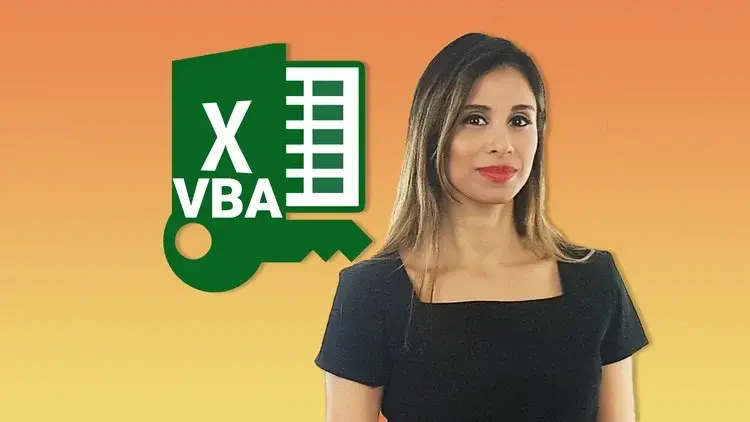
Unlock Excel VBA and Excel Macros
All LevelsOffice ProductivityExcel VBA

Unlock Excel VBA and Excel Macros

Automate Complex Tasks with Microsoft Excel VBA & Excel Macros (Real-World Projects included). Achieve More. Save time.

Created by Leila Gharani
22.5 hours
Video Content
172
Lectures
225,378
Students
4.7
Rating
4.7
(225,378 students enrolled)

What you'll learn

Enhance your current Excel files & automate your work with VBA.
Master Excel VBA & Macros
Directly apply the Excel VBA example files included to your own work.
Reduce manual routine tasks to the click of a button.
Make your work-life easier.
Create simple solutions to complex problems by levering Excel functionality with Macros.
Formulas & Excel core functionality can't do everything. Use VBA when you reach a limitation.
Easily adjust VBA code you find online to fit your purpose.

Course Content

21 sections • 172 lectures • 22:29:44 total length

Introduction & Scope

5 lectures • 13:20

Course Structure & Content04:19
Important Compatibility & Setup Information04:00
Course Resources: Download Course Project Files01:57
Course Expectations02:51
Course Outline for Quick Reference00:13

Your First Macro

9 lectures • 55:22

Overview: Macros & Visual Basic Editor (VBE)01:40
Steps to Your First Macro Recording06:01
Visual Basic Editor: What You Need to Know11:56
Project: Dynamic Cell Selection (Special Cells) - Perfect for Flexible Macros11:28
Project: Copy (Consolidate) Data - Absolute versus Relative Macro Recording09:33
+5 more lectures

The Object Model

8 lectures • 46:01

Overview: VBA Object Model (What you need to become an expert in VBA)01:39
VBA's Code Reference Object Library04:12
VB Color Guidelines & Keyboard Shortcuts12:09
Excel VBA Object Model06:17
Object Properties04:36
+4 more lectures

Referencing Ranges, Worksheets & Workbooks with VBA

10 lectures • 01:36:43

Overview: Referencing Ranges, Worksheets & Workbooks01:12
Referring to Ranges & Writing to Cells in VBA15:37
Most Useful Range Properties & Methods13:19
4 Methods to Find the Last Row of your Range15:34
Copying & resizing a variably sized range09:28
+5 more lectures

Working with Variables

7 lectures • 35:42

Overview: Role of Assignment & Variables02:55
Data Types for Better Performance03:33
Declaring Variables, Arrays & Constants (Role of Option Explicit)12:52
Using Object Variables (Set statement)06:50
Scoping Variables06:58
+3 more lectures

Looping through Collections & Making Decisions

10 lectures • 58:49

Overview: Why Collections are a VBA Essential01:27
With & End With for Easier Code Writing06:21
For Each to Loop Through Collections (sheets, ranges etc.) in one go10:14
IF Then (Else, ElseIF) for Conditional Outcomes10:20
Select Case as Alternative for Many IF Statements05:21
+5 more lectures

Useful Built-in Functions

8 lectures • 01:04:11

Overview: VBA versus Worksheet Functions13:38
Most Useful VBA Functions10:05
Message Box (also with Yes, No buttons)08:43
Input Box (VBA InputBox Function)07:28
Input Box that can Select Ranges (Excel InputBox Method)12:28
+3 more lectures

Debugging, Error Handling & Procedure Scope

9 lectures • 01:06:55

Overview: Debugging, Handling Errors & Procedure Scope02:00
Debugging Options: Watch, Locals, Immediate Windows & More13:10
Error Handling: Different Methods10:47
Faster Code by Suppressing Pop-ups & Flickering Screen10:39
Procedure Scope & Running one Sub from Another06:23
+4 more lectures

Main Project #1: Create a Tool to Automate Table of Contents

7 lectures • 43:59

Project overview: Table of Contents (TOC) with one click02:01
TOC Project: The Basics10:33
TOC Project: Adding Hyperlinks06:11
TOC Project: Testing the VBA Code04:29
TOC Project: Adding Error Handling & More Checks13:29
+2 more lectures

Looping in VBA (Controlling the Flow of Code)

12 lectures • 01:28:43

Section Overview: Looping in VBA02:28
For Next Counter Loops (Simple Example)08:49
For Next Nested Loop (Loop through Text & Cells)15:35
For Next Reverse Loop (Delete Filtered/Hidden Rows)08:37
Do Until & Do While Loop09:57
+7 more lectures

Working with Arrays

9 lectures • 52:22

Overview: Working with Arrays in VBA01:44
One Dimensional Arrays (and transferring back to sheet)13:42
Dynamic Arrays (size adjusts depending on a condition)06:40
Preserving Dynamic Arrays (adding more elements to the existing array)03:56
Two Dimensional Arrays07:35
+4 more lectures

Working with Files, Folders & Text Files

9 lectures • 01:06:12

Overview: Working with Folders & Files02:46
DIR Function: Check if Files or Folders Exist09:12
GetOpenFileName Method: User Selects a File09:27
FileDialog Property: Loop Inside a Folder16:50
Create CSV File from Data in Excel07:36
+4 more lectures

Excel Tables, Formulas & Pivot Tables

7 lectures • 57:32

Overview: (Pivot) Tables & Formulas02:10
Using Excel Formulas in VBA13:46
Excel Tables: Use the Right Syntax14:19
Pivot Tables & VBA: What you Need to Know18:30
Activity: Update Existing Formulas with VBA by Adding IFERROR00:27
+2 more lectures

Main Project #2: Sales Regional Reporting Tool

11 lectures • 02:01:58

What You'll Learn (& Should be Aware of..)03:58
Project Overview: Regional Sales Reporting Tool14:10
Importing Data from Multiple Files using MultiSelect16:55
Setting up a Template as the Basis for Different Reports25:20
Exporting Reports as Excel files (Pivot Table & Hard Coded Reports)17:01
+6 more lectures

Interacting with Other Applications (Word, PowerPoint etc.)

6 lectures • 01:03:46

Overview & Important Concepts when Interacting with Other Applications05:02
Project PDF: Save Specific Sheets as a PDF File14:13
Project Email: Automatically Create Personalized Emails with Attachments09:08
Project Microsoft Word: Create Personalized Letters in Word from Excel16:10
Project Microsoft PowerPoint: Export Excel Sheets to PowerPoint Presentation19:08
+1 more lectures

Workbook and Worksheet Events

8 lectures • 57:45

Overview & What are Event Procedures?03:08
Workbook Events, Toggle Full Screen (Activate, Deactivate, Open, Close)12:57
Worksheet Selection Change: Dynamic Font Color of Selected Range05:52
Refresh PivotTables Automatically & Concept of Range Intersection12:45
Resetting a Dependent Drop-down when the first Drop-down is Changed10:57
+3 more lectures

Working with Userforms & ActiveX Controls

11 lectures • 01:54:00

Overview: UserForms & ActiveX Controls01:56
ActiveX Controls: What you Need to Know07:32
ActiveX Check Box to Fix Scroll Area & Toggle Screen Settings07:54
ActiveX to Show and Hide Help06:17
ActiveX Combo Box for Easy Sheet Navigation (Great for Larger Workbooks)10:30
+6 more lectures

Main Project #3: Invoice Generation Tool

11 lectures • 02:40:08

Tool Overview: What You Will Learn14:08
Setting up an Input UserForm to Collect Master Data17:34
Working with Multi-Column ListBoxes10:18
Edit Master Data with UserForm07:47
Searchable ListBox (with Selection Change event)17:23
+6 more lectures

Create your own Custom Functions

8 lectures • 40:08

Section Overview: Function Procedures02:02
Setting up a Simple Function (including Optional Arguments)05:49
Function to Calculate Age (Result in Years & Months)06:04
Functions that Split Text and Numbers from Cell Value08:31
Using Functions in Sub Procedures06:18
+3 more lectures

Working with Charts

5 lectures • 42:44

The Chart Object Library & Section Overview03:21
Create and Modify a Chart with VBA12:59
Animated Charts: Different Methods12:48
Show Charts inside UserForms13:21
Key Takeaways: Charts00:15

Summary & Final Words

2 lectures • 03:14

Your Next Steps & more Learning02:31
SPECIAL BONUS: Discover Exciting Offers!00:43

Description

Go from Beginner to Microsoft Excel VBA Expert!

I'll take you step-by-step through engaging video tutorials and teach you everything you need to know to be able to use VBA to improve your work flow, save time and automate your current Excel projects. 

What differentiates this course from the other Microsoft Excel VBA & macros courses? It includes:

  1. Over 50 Microsoft Excel VBA & macro examples. These are solutions my clients have needed through the years. They are likely to be useful for you too.

  2. Using the right VBA syntax is the most difficult part. An important topic which isn't covered enough in other VBA courses. In this course you understand why you write things in certain ways.

  3. Create 3 Complete Excel VBA Tools. We go from idea to final product and cover each step.

  4. Over 100 pages of documentation (including useful code) so you can easily refer to it when in need.

  5. Simple explanations for complex concepts.

  6. High quality video and different delivery methods to keep things interesting.

  7. Lots of ideas to automate your current tasks.


Learn from Google or from this Course?

I've been there! I first learnt VBA from Google.

It was truly a light-bulb moment, when I realized that Google has some answers - it could give me some of the code I was looking for - but there two things missing:

  1. The WHY - why does the code work in one situation but not another.

  2. Structure - topic sequence, real-case examples, workbooks, documentation.

Don’t waste your time

Don't waste your time on poor quality videos and confusing explanations. In this Excel VBA course, complex topics are taught in a simple way by an instructor with 17 years of experience. The content has been carefully crafted and clearly organized. The videos are high quality and include animations to emphasize points. Most importantly you learn VBA by doing. 

"I have already tried some VBA classes but so far I was never able to apply what I learnt to my own work. This course is different. I have already used some of the techniques Leila is teaching and applied it to my work files. I was able to reduce manual work for me and my colleagues by creating my own macros from scratch. Highly recommended!!!" -- Randy Taylor

"Leila is the real deal... there are many VBA courses on Udemy (some of which I've taken) that merely demonstrate the functionalities. Leila explains the important foundation concepts and how the model is set up allowing you to truly create VBA code from thought rather than copying and pasting from various places. Her class is professionally constructed, with resources and content for each lecture, practice content for you to try things yourself and good Q&A opportunities to answer specific questions. Trust me, this is the course you want to take."  -- Justin Fazzio

What you can look forward to in this course:

  • Understand how to use the right syntax in VBA

  • Useful Excel VBA codes you can directly use for your work

  • Use the macro recorder for simpler tasks and improve the code

  • Working with the Visual Basic Editor

  • Debugging tools and error handling methods

  • Different ways to reference ranges and cells

  • Different methods to loop

  • How to work with data types

  • PivotTables in Excel using VBA

  • Importing data from other files and exporting data to text files

  • Interacting with other applications (Word, PowerPoint, Outlook)

  • ActiveX and Userforms to enhance the Excel interface

  • Basically all the knowledge you need to automate tasks in Excel

Who this course is for:

  • Business Professionals who'd like to simplify & automate work flow.
  • Data analysts.
  • You currently use Excel and like to improve your skills.

This course includes:

  • 22.5 hours on-demand video
  • 28 articles
  • 53 downloadable resources
  • Access on mobile and TV
  • Full lifetime access
  • Certificate of completion

Instructor

Leila Gharani

Students also download

Explore related courses to expand your learning journey.