
All Levels
16 hours
Java Tutorial for Complete Beginners
Learn to program using the Java programming language
John Purcell
What you'll learn:
- ✓Learn to program in Java
16 hours
73 lectures
Access on mobile and TV
Certificate
DevelopmentJava
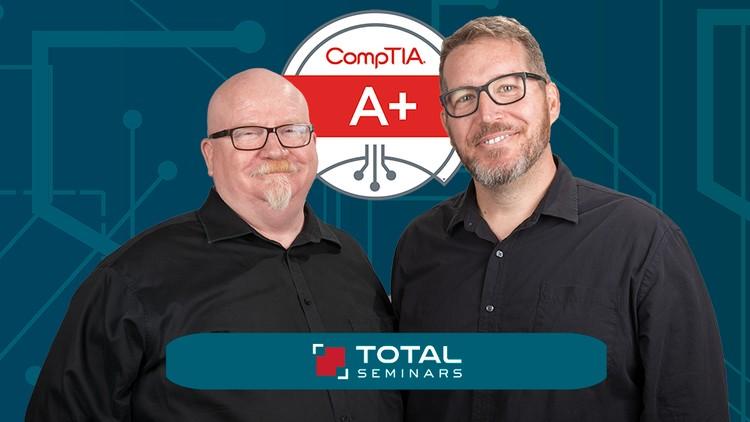
Everything you need to pass A+ Certification Core 1 (220-1101) Exam, Mike Meyers and Total Seminars!
6 lectures • 17:03
2 lectures • 15:53
3 lectures • 17:44
7 lectures • 55:06
5 lectures • 35:14
4 lectures • 34:58
4 lectures • 22:52
4 lectures • 27:38
4 lectures • 32:45
5 lectures • 42:13
9 lectures • 01:03:13
8 lectures • 51:18
8 lectures • 01:11:07
11 lectures • 01:42:41
6 lectures • 52:55
9 lectures • 57:49
6 lectures • 49:10
5 lectures • 26:59
4 lectures • 30:36
6 lectures • 50:03
9 lectures • 01:12:54
0 lectures • 00:00
1 lectures • 06:32
Hey, Mike Meyers here. The Team at Total Seminars and I are excited to bring you this video series to help you pass the CompTIA A+ Certification Core 1 (220-1101) exam. This course contains the training you need to pass the Core 1 and one practice exam.
Since the requirements and costs are high (the exam voucher is $246), you'll want to make sure you're prepared to pass the exam the first time and never pay full price. This course will prepare you and then you can get discounted exam vouchers at the Total Seminars website
Between my bestselling A+, Network+, and Security+ books and my video courses, I've taught over 2 million people how to take and pass these CompTIA IT industry certification exams. I've got an easy-going, approachable, and funny teaching style that has helped newbies and experienced techs alike learn valuable IT skills. I've taught in-person seminars for the DEA and the FBI, and now I'm going to teach you.
I'm joined by my buddy, Steve Nicholson, who brings a ton of knowledge and experience to this course. He's taught thousands of college students, worked as a Chief Technical Officer, and even had a stint in the Marine Corps. Oh, and don't forget to ask him about the chickens at his house!
This is the first of a two-course series and is designed to prepare you to take and pass the CompTIA A+ Core 1 (220-1101) exam. It's an internationally-recognized, fundamental IT training certification. Not interested in certification? No problem! Even if you just want to learn about the basics of IT and computers, I've got you covered.
Course 1: TOTAL: CompTIA A+ Certification (220-1101) (this course)
Course 2: TOTAL: CompTIA A+ Certification (220-1102)
To become fully A+ certified you will need to pass both the 220-1101 and 220-1102 exams.
WHAT OUR STUDENTS ARE SAYING:
OVER 25,000 5-STAR REVIEWS!
"I used these courses to pass the A+, Security+, and Network+ in a span of 2.5 months. I had no IT experience 4 months ago. Now I am a network engineer at a managed service provider with a great salary and solid upward mobility." - Ryan D.
“Mike is an incredible instructor and very engaging. Actually teaches you about technologies and how they work rather than just what you need to know to pass an exam. Can't recommend highly enough.” - Dylan T.
'First impressions - Blown away by the quality of the material! Especially the live demonstrations with real components really give one a far superior learning experience compared to ppt slides. I hope this style of teaching becomes the norm.' -Krishnamohan C.
“Awesome! As an IT student, I already knew about PCs & related hardware and so on...this is an awesome course & Mike described everything nicely. If you are new to IT industry (less than 5 years) this is a must course for you!” – Muhammad T.
“[Mike] Meyers is amazing when it comes to explaining. His fun little bits, such as when he explains common problems and how to troubleshoot them, keep you engaged and help it stick so much better. I went from barely understanding little bits here and there to passing the 1001 on my first try with the help of this course. …If you have tried reading the books and listening to lectures from people who sound like the teacher from Ferris Bueller then I would highly recommend this course paired with his practice tests.” – Robert F.
“This course was above my expectations! 1/2 way through and it is NOT boring, drilling information AT ALL!!! A positive, knowledgeable instructor who clearly speaks. Not only is the instructor positive, but fun and engaging. Very easily relays information in an easy to understand and easy to remember format. Perfect category breakdowns and great resources available too!!! THANK YOU (and your team) SO MUCH for all your hard work putting this course together!!! Looking forward to passing my CompTIA A+ with ease!!!” – Kerri O.
WHY SHOULD I TAKE THIS COURSE?
Technology is ranked as the #1 source of U.S. jobs. Are you looking to kickstart your career, improve your existing IT skills, or increase your chances of getting that IT job? Did you know 96% of HR managers use IT certifications as screening or hiring criteria during recruitment?
Some jobs that use A+ certifications are Support Specialists (avg. 54,500/yr.), Field Service Technicians (avg. 46,000/yr.), and Desktop Support Analysts (avg. 60,000/yr.).
More Certifications = More money
A+ Cert with no other certifications = 47,500/yr.
A+ Cert with 1 or 2 other active certs. = 84,250/yr.
A+ Cert with 3 or 4 other active certs. = 92,080/yr.
A+ Cert with 5 or 6 other active certs. = 97,310/yr.
A+ Cert with 7 or 8 other active certs. = 105,150/yr.
Not looking for a cert? Maybe you're just interested in how to keep your home network router from constantly doing that annoying red-blinky-light thing. Or be the family hero and set up that awesome smart thermostat you've had in your Amazon cart for a year! Or perhaps you want to learn how to get your iPhone to work so you don't have to keep asking your friend's brother's aunt's niece for help. Whatever your motivation, this course is perfect to help give you a robust IT foundational knowledge in a way that's easy-to-understand. And, hopefully, you'll have a few laughs with me along the way.
WHAT'S INCLUDED?
SOOOOO much! This course is a great deal, check it out:
Over 15 hours of video
PDFs of the CompTIA A+ Core 1 exam objectives
End-of-chapter quizzes to test your knowledge
Q&A section where you have access to me and my team of teaching assistants to answer any questions you might have
50-question practice test with objectives weighted like the real exam
30-day money-back guarantee
Lifetime access
Certificate of completion
WHAT'S COVERED?
Exam Domain 1.0 Mobile Devices - 15%
Laptop hardware components
Mobile device types (tablets, smart phones)
Setting up mobile devices (syncing and networking)
Exam Domain 2.0 Networking - 20%
Networking hardware devices (routers, switches, firewalls)
Configuring a basic SOHO network
Networking configuration concepts (IPv4, IPv6, DNS, VPNs)
Internet connections and network types (cable, fiber, LANs)
Exam Domain 3.0 Hardware - 25%
Cables and connectors (USB, Ethernet, HDMI, Lightning, Thunderbolt)
Motherboards, CPUs, power supplies, RAM, hard drives and SSDs
Peripherals (printers, monitors, keyboards, microphones)
The joy of troubleshooting printers
Exam Domain 4.0 Virtualization and Cloud Computing - 11%
Cloud computing (IaaS, SaaS, PaaS, elasticity, cloud storage)
Client-side virtualization (virtual machines, hypervisors)
Exam Domain 5.0 Hardware and Network Troubleshooting - 29%
Resolve problems with best practices and industry standards
Troubleshoot RAM, motherboards, CPUs, power supplies, hard drives, display issues
Troubleshoot mobile device issues, printers, wired/wireless networks
EXAM INFO
Exam code: 220-1101
Max. 90 questions (multiple choice, drag-and-drop, and performance-based)
Length of exam: 90 minutes
Passing score: 675 (on a scale of 100-900)
Exam cost: $239
Languages: English, German, Japanese, Portuguese, Thai, and Spanish.
Recommended experience: 9-12 months' hands-on experience in a lab or in the field
HOW DO I TAKE THE COMPTIA A+ Core 1 and Core 2 EXAM?
Buy an exam voucher (get your discount voucher at Total Seminars' website), schedule your exam on the Pearson VUE website, then take the exam at a qualifying Pearson VUE testing center. You can take one exam at a time, or schedule to take both exams at the same time.
To become fully A+ certified you will need to pass both the 220-1101 and 220-1102 exams.
Explore related courses to expand your learning journey.
Learn to program using the Java programming language
What you'll learn:

Learn Python like a Professional Start from the basics and go all the way to creating your own applications and games
What you'll learn:

Master Python by building 100 projects in 100 days. Learn data science, automation, build websites, games and apps!
What you'll learn: