
All Levels
16 hours
Java Tutorial for Complete Beginners
Learn to program using the Java programming language
John Purcell
What you'll learn:
- ✓Learn to program in Java
16 hours
73 lectures
Access on mobile and TV
Certificate
DevelopmentJava
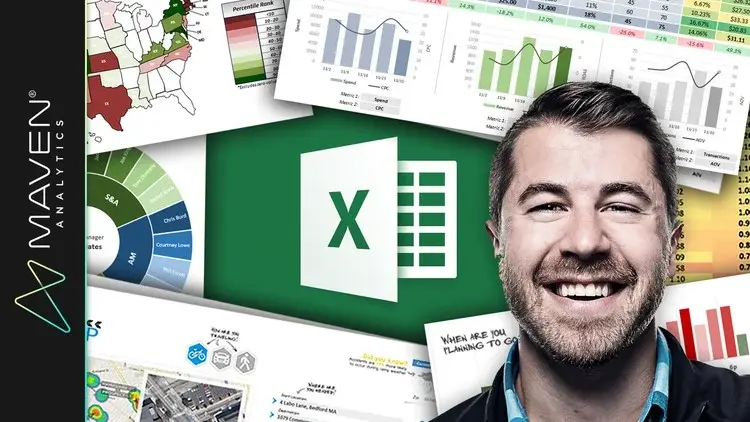
Learn 75+ Excel spreadsheet formulas for data analysis & business intelligence, with a top Microsoft Excel instructor!
5 lectures • 08:56
13 lectures • 01:21:18
8 lectures • 30:19
11 lectures • 01:00:53
20 lectures • 01:47:49
10 lectures • 34:34
11 lectures • 47:56
7 lectures • 24:07
24 lectures • 02:30:34
5 lectures • 35:22
1 lectures • 01:55
It's time to show Excel who's boss. Whether you're starting from square one or aspiring to become an absolute MS Excel power user, you've come to the right place.
This course will give you a deep understanding of the advanced Excel formulas and functions that transform Excel from a basic spreadsheet program into a dynamic and powerful data analytics tool.
While most Excel courses focus on simply WHAT each formula does, I teach through hands-on, contextual examples designed to showcase WHY these formulas are so powerful and HOW they can be applied in practical use cases for data analytics and business intelligence.
In other words, I will not teach you how to regurgitate functions and formula syntax; I will teach you how to THINK like Excel.
By the end of the course you'll be writing robust spreadsheet formulas from scratch, allowing you to:
Build dynamic tools & Excel dashboards to filter, display and analyze your data
Create your own formula-based Excel formatting rules
Join datasets from multiple sources with XLOOKUP, INDEX & MATCH functions
Manipulate dates, times, text, and arrays
Use formulas for data prep, data cleaning and QA
Automate tedious and time-consuming tasks using cell formulas and functions in Excel (no VBA required!)
Pull real-time data from APIs directly into Excel (weather, stock quotes, directions, etc.)
We'll dive into a broad range of Excel formulas & functions, including:
Lookup/Reference functions
Statistical functions
Formula-based formatting
Date & Time functions
Logical operators
Dynamic Array formulas
Text functions
INDIRECT & HYPERLINK
Web scraping with WEBSERVICE & FILTERXML
I have a genuine passion for Microsoft Excel, and as the founder of Maven Analytics I've been lucky enough to teach more than 1,000,000 students around the world. My teaching style is conversational, authentic and to the point, and I will always communicate complex concepts in a framework that is clear and easy to comprehend.
If you're looking for the ONE course with all of the advanced Excel formulas and functions that you need to know to become an absolute Excel rockstar, you're in the right place!
See you in the course!
-Chris (Founder, Maven Analytics)
__________
Looking for our full course library? Search "Maven Analytics" to browse our full collection of Excel, Power BI, SQL, Tableau, Python, Alteryx & Machine Learning courses!
See why this is one of the TOP-RATED Excel courses on Udemy:
"One of the best Excel courses I've ever taken. You can see through his videos how passionate he is about Excel. Thanks for this awesome course, and count me in for the next ones!"
-Julio Garcia
"This is an exceptionally valuable course. The information is vital with examples of best practices from a true Excel expert. Chris Dutton can teach!"
-Barbara S.
"Chris Dutton is an EXPERT in Excel. He makes comprehensible to the student the complex (sometimes super-complex) nature of the formulas he uses. Everything that is written at the course description, although it may seem pure marketing and publicity at first glance, is indeed true. If I could rate it higher I definitively would. THANKS Chris!"
-Bruno Ricardo Silva Pinho
*NOTE: Full course includes downloadable resources and Excel project files, homework and course quizzes, lifetime access and a 30-day money-back guarantee. Most lectures compatible with Excel 2007, Excel 2010, Excel 2013, Excel 2016, Excel 2019 or Office 365.
Explore related courses to expand your learning journey.
Learn to program using the Java programming language
What you'll learn:

Learn Python like a Professional Start from the basics and go all the way to creating your own applications and games
What you'll learn:

Master Python by building 100 projects in 100 days. Learn data science, automation, build websites, games and apps!
What you'll learn: