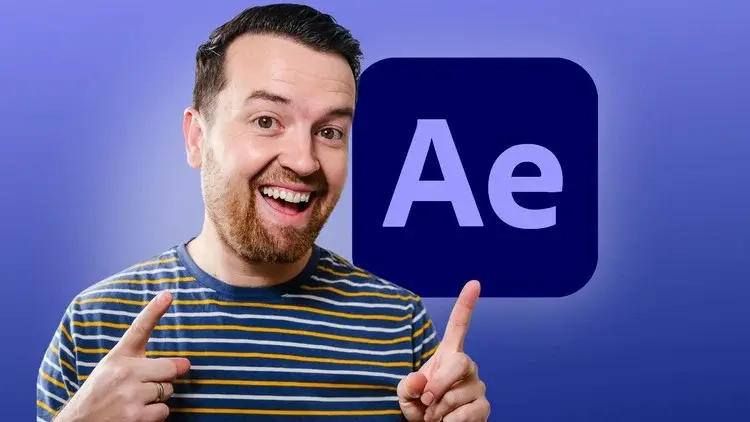
After Effects CC Masters: VFX, Motion Graphics, Animation+
All LevelsDesignAfter Effects

After Effects CC Masters: VFX, Motion Graphics, Animation+

Learn Beginner to Advanced Adobe After Effects CC: Motion Graphics, Kinetic Typography, Visual Effects VFX, Animation+

Created by Phil Ebiner, Video School
27.5 hours
Video Content
228
Lectures
357,974
Students
4.6
Rating
4.6
(357,974 students enrolled)

What you'll learn

You will know how to use After Effects to make your videos better than ever
You will be comfortable using After Effects - even if you're a beginner
Know how to create a video project from start to finish in After Effects
Create professional motion graphics that improve your videos
Add creative visual effects to your video projects
Export high quality videos from After Effects and know how to use it with Premiere Pro efficiently
You will have the full support of an instructor who loves teaching

Course Content

29 sections • 228 lectures • 27:52:04 total length

Introduction to the After Effects Course

5 lectures • 11:51

Welcome! | After Effects Course02:34
Download the Course Project Files | After Effects Course00:44
Animate Your Name! | After Effects Course06:58
Tutorial Request Form | After Effects Course00:29
Tips to Improve Your Course Taking Experience | After Effects Course01:06

After Effects Basics

10 lectures • 56:27

Know Your Way Around After Effects | After Effects Course05:39
Start a New Composition | After Effects Course08:15
CC Update: Starting a New Composition from Footage | After Effects Course01:55
Importing Media and Placing on the Timeline | After Effects Course05:08
Learn the Important Tools | After Effects Course10:20
+5 more lectures

Animating with Keyframes

7 lectures • 45:56

Adding and Editing Keyframes + Opacity Animations | After Effects Course07:35
Position, Size, and Rotation Animations | After Effects Course05:17
Make Animations Better with Easy Ease and Motion Blur | After Effects Course04:21
Advanced Animations with the Graph Editor | After Effects Course05:32
Challenge: Bouncing Ball Animation | After Effects Course01:01
+2 more lectures

Shapes and Solid Layers

6 lectures • 30:44

Working with Solid Layers | After Effects Course07:07
Working with Shapes | After Effects Course06:24
Layer Styles - Drop Shadows, Bevel & Emboss, and Gradients03:44
Shape Effects | After Effects Course05:54
CC 2020 Update: Tapered Strokes | After Effects Course03:48
+1 more lectures

Important After Effects Skills

10 lectures • 50:48

Track Mattes: Make Layers Appear and Disappear | After Effects Course08:37
Pre-Compositions: Grouping Layers Together | After Effects Course05:34
Quickly Reversing Animations | After Effects Course02:14
Freeze Frames, Remapping, Reversing Time | After Effects Course05:54
Blend Modes | After Effects Course06:05
+5 more lectures

Motion Graphics Projects

9 lectures • 01:36:24

Intro to Real World Projects | After Effects Course00:53
Project: Clean Lower Third | After Effects Course09:22
Project: Colorful Transition | After Effects Course16:59
Project: Text with Mask Transition | After Effects Course10:05
Project: Text Bubble Pop-Up Animation | After Effects Course13:39
+4 more lectures

Flat Animation Challenge

2 lectures • 27:41

Design Your Own Flat Animation Scene | After Effects Course1 question
Designing My Flat Animation Scene | After Effects Course12:39
Animating Fireworks with a Repeater Shape | After Effects Course15:02

Green Screen (Chromakeying)

4 lectures • 27:14

Remove Green Screen with Keylight 1.2 | After Effects Course06:46
Adding a Background that Matches the Foreground + Parenting07:55
Adding Motion to a Still Image with the Puppet Tool | After Effects Course06:26
Adding Motion to the Background Photo with Ripple Effect | After Effects Course06:07

3D Animations and the Camera Tool

5 lectures • 40:51

3D in After Effects + The Camera Tool and Views | After Effects Course10:04
Swinging 3D Rotating Text Animation + Null Objects | After Effects Course12:11
Building a 3D Composition | After Effects Course05:47
Animating in 3D Space | After Effects Course07:38
Creating Stars in After Effects | After Effects Course05:11

Rotoscoping

3 lectures • 21:49

Make a Selection with the Rotoscope Tool | After Effects Course06:55
Cleaning Up Edges | After Effects Course07:21
Putting Rotoscoping to Work | After Effects Course07:33

Screen Replacements

4 lectures • 37:06

Replacing a Screen with Easy Masking | After Effects Course09:56
Replacing a Screen with Masking and 3D Motion | After Effects Course13:49
Replacing Device Screens with Mocha | After Effects Course08:13
CC 2019 Update: Mocha Native Plugin | After Effects Course05:08

Puppet Tool Animations

5 lectures • 25:16

Setting Your Pins | After Effects Course04:33
Animating Your Pins to Make a Bird Fly | After Effects Course03:04
Animating Your Owl's Blinking Eyes | After Effects Course08:21
Adding Perspective with Animated Clouds | After Effects Course07:10
CC 2019 Update: Advanced Puppet Tools | After Effects Course02:08

Effects & Presets

5 lectures • 26:22

Text Animations | After Effects Course05:59
CC Page Turn | After Effects Course10:05
Radial and Linear Wipe Effect | After Effects Course03:20
Color Correction | After Effects Course03:33
CC 2019 Update: Selective Color Grading | After Effects Course03:25

Motion Tracking

4 lectures • 31:49

Motion Tracking Basics | After Effects Course09:51
Attaching Text & Visual Effects to Video Clip with Tracking06:21
Tracking Scale and Rotation | After Effects Course11:33
Adding More Details to Your Text | After Effects Course04:04

Character Animations

7 lectures • 50:49

Intro to Character Animations | After Effects Course01:31
Design Your Character | After Effects Course14:32
Rigging Body Parts | After Effects Course02:50
Animate Your Character | After Effects Course09:55
Adding an Animated Background for Context | After Effects Course09:12
+2 more lectures

Exporting From After Effects

5 lectures • 25:03

Exporting H.264 Files | After Effects Course07:03
Exporting with a Transparent Background | After Effects Course04:03
Exporting Videos with Adobe Media Encoder | After Effects Course04:40
CC 2018 Update: Exporting an Animated GIF from Adobe Media Encoder02:14
Creating an Animated GIF with CC 2017 and Earlier Versions07:03

After Effects Workflow + Tips

2 lectures • 09:14

Editing Audio in After Effects | After Effects Course03:20
Working with Premiere Pro Projects | After Effects Course05:54

Expressions

3 lectures • 25:12

Adding an Expression | After Effects Course07:24
Animate a Flickering Light with Expressions | After Effects Course17:35
Dive Deeper with After Effects Expressions | After Effects Course00:13

Conclusion

1 lectures • 00:59

Thank You Video | After Effects Course00:59

Make Better Videos with Stock Elements (Video, Graphics, Titles, SFX, Music+)

10 lectures • 49:20

Work Smarter, Not Harder: Why Use Stock Websites Like Envato Elements03:16
Which Stock Platforms Do I Recommend?00:32
How Do I Use Stock Elements in My Videos?04:40
How to Find the Perfect Assets for Your Videos06:42
Make Your Video Better with Stock Footage06:26
+5 more lectures

Bonus Tutorials

44 lectures • 07:43:31

What are the bonus tutorials? | After Effects Course00:35
After Effects Updates + My Favorite CC 2020 Updates | After Effects Course06:22
Neon Sign Effect | After Effects Course21:49
Fade Text Up with Motion: Popular YouTuber Animation Style13:32
Map Animations with 3D Camera Move like YouTuber Drew Binsky32:43
+39 more lectures

Bonus Project: House of Cards Intro Graphics

7 lectures • 39:45

What is this section? | After Effects Course00:30
Intro the House of Cards Project | After Effects Course01:57
Importing Your Assets | After Effects Course05:46
Create the Flag Animation | After Effects Course14:56
Adjusting the Speed of Your Animation | After Effects Course05:19
+2 more lectures

Bonus Project: Hipster Badge Animation

10 lectures • 54:48

What is this section? | After Effects Course00:30
Intro and Download the Project Files | After Effects Course01:40
Design Your Badge in Adobe Illustrator | After Effects Course15:32
Importing the Design into After Effects | After Effects Course10:46
Preparing Layers by Moving Anchor Points | After Effects Course04:00
+5 more lectures

Bonus Project: Flat Animation Buildup

8 lectures • 40:13

What is this section? | After Effects Course00:29
Intro the Project | After Effects Course00:48
Designing the Object in Illustrator | After Effects Course10:09
Preparing the Illustrator File | After Effects Course01:41
Animating in After Effects | After Effects Course21:26
+3 more lectures

Bonus Section: Using After Effects Templates

8 lectures • 33:39

What is this section? | After Effects Course00:32
Downloading a Template | After Effects Course02:51
After Effects Layout | After Effects Course04:31
Editing a Template | After Effects Course07:45
Adding and Editing Text | After Effects Course06:16
+3 more lectures

Bonus Section: Advanced Shape Animations

18 lectures • 03:42:59

What is this section? | After Effects Course00:29
Intro to this Section | After Effects Course01:20
Shape Refresher | After Effects Course11:17
Fill & Stroke | After Effects Course11:55
Trim Paths | After Effects Course14:34
+13 more lectures

Bonus Projects: After Effects for Entrepreneurs

15 lectures • 58:42

What is this section? | After Effects Course00:29
Lower Third - Intro | After Effects Course00:13
Lower Third - Design Your Text | After Effects Course05:15
Lower Third - Animate Your Text | After Effects Course10:47
Lower Third - Exporting with a Transparent Background | After Effects Course05:23
+10 more lectures

Bonus Section: Kinetic Typography

10 lectures • 01:01:44

What is this section? | After Effects Course00:29
The Kinetic Typography Project | After Effects Course01:52
Cut and Scale Animations | After Effects Course13:40
Position Animations | After Effects Course08:51
Rotation Animations | After Effects Course12:56
+5 more lectures

Bonuses from Video School

1 lectures • 02:54

Bonus Lecture: Learn More from Phil + Video School02:54

Description

Master After Effects Motion Graphics with the easiest-to-follow course on Udemy!

"I went into this not knowing basically anything and came away with tons of knowledge!"
- Louis Matarazzo, Phil's After Effects student

Join this Adobe After Effects CC course to have fun while learning quickly!

If you are looking to make your videos better, adding motion graphics and visual effects is the way to do that. After Effects CC is used by professionals across the world for every type of production from business & marketing videos, music videos to documentaries, feature films. This full course is the best way to jump right in and start making your own videos come to life.

Make videos the way you imagine them!

Practice while you learn. This course includes practice files so you can follow along and actually learn by doing.

By the end of the course, you'll have finished dozens of real world projects to build your confidence.

I'll be teaching the course using the Creative Cloud version, but if you have a previous version (CS6, CS5, etc - Mac or PC), you can still learn with this course.

What makes me qualified to teach you?

My name is Phil and I'm a professional motion graphics artist and video creator.

Phil Ebiner's "The Complete Guide to After Effects," is a wonderful and comprehensive course to dive into this Program, and get started with creating our own animations.
- Cavett Robert

Very comprehensive, easy to follow course.

- Dragan Vukicevic

Phil is a g a great instructor who is always willing to help. The way he lays out the course is simple and easy to understand.
-Patrick Gilmour

My Promise to You

I'll be here for you every step of the way. If you have any questions about the course content or anything related to this topic, you can always post a question in the course or send me a direct message. 

I want to make this the best course on how use Adobe After Effects. So if there is any way I can improve this course, just tell me and I'll make it happen.

What's this course all about?

Get ready to create motion graphics that will improve your video quality. If you've always wanted to learn how to use video effects and create custom motion graphics, you can learn After Effects CC right now.

Practice lessons will get you motivated and moving to your goals.

The lessons are meant to teach you how to think like a motion graphics/video effects artist. After Effects is a robust tool that is capable of creating almost any video effect out there. You'll learn all of the basics, intermediate, and some advanced techniques, from working with shapes, text, and textures to video effects, transitions, and 3d camera.

Here is a glimpse of what we'll be covering:

  • Getting comfortable with After Effects CC

  • Starting a new composition

  • Using the basic tools

  • Working in the After Effects CC timeline

  • Adding shape and text layers

  • Animating position, scale, rotation, and opacity

  • Working with shape layers and masks

  • Real world projects such as lower thirds and bumpers

  • Motion graphics principles and best practices

  • Using video effects and presets to speed up workflow

  • Green screen and chromakey removal

  • Visual effects and rotoscoping

  • Motion tracking and video stabilization

  • Creating unique transitions

  • Exporting your projects

  • and so much more!

Knowing After Effects CC is a great skill to have that is in demand and highly marketable. I've landed many jobs with the skills that I teach you in this course.

With our 30-day 100% money back guarantee, there is nothing holding you back from jumping in right now and trying the course out.

Go ahead and click the enroll button, and I'll see you in lesson 1!

Cheers,

Phil

Who this course is for:

  • Anyone looking to use After Effects to improve their videos
  • Videographers, video producers, video editors
  • Motion graphics artists and graphic designers
  • YouTubers and vloggers
  • Businesses that use video as part of their marketing strategy

This course includes:

  • 27.5 hours on-demand video
  • 14 articles
  • 18 downloadable resources
  • Access on mobile and TV
  • Full lifetime access
  • Certificate of completion

Instructors

Phil Ebiner

Video School

Students also download

Explore related courses to expand your learning journey.